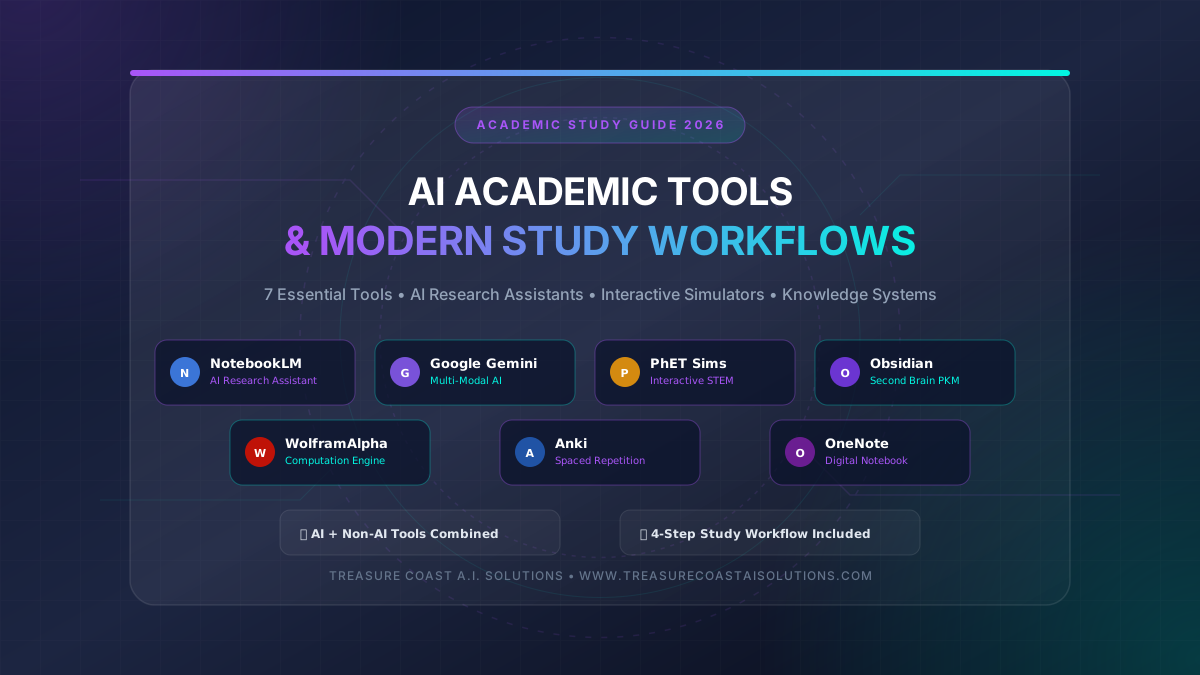
TL;DR: Combining AI research assistants like NotebookLM and Google Gemini with proven non-AI platforms like PhET and Obsidian creates a complete modern study workflow. Students who pair source-grounded AI synthesis with interactive simulations, computational verification, and active recall achieve significantly higher comprehension while saving hours of manual research time.
Last updated: August 14, 2026 | Author: Brandon Smith, CEO & Co-Founder, Treasure Coast A.I. Solutions
Most Students Use AI Wrong — Here Is the Fix
You uploaded a 300-page textbook PDF to ChatGPT and asked it to summarize Chapter 12. It gave you a confident, well-structured answer — and half of it was fabricated. Sound familiar?
The problem is not AI itself. The problem is using a general-purpose chatbot as a research engine. Dedicated academic AI tools solve this by grounding every answer in the specific documents you provide, so the output is traceable back to your actual course material.
But AI alone is not enough. Concepts in physics do not click from reading a summary — they click when you adjust a variable in a simulator and watch a pendulum change speed. Vocabulary does not stick from passive review — it sticks from spaced repetition. A complete study workflow combines AI synthesis with interactive tools that force active engagement.
Here are the 7 tools — AI and non-AI — that build that workflow from the ground up.
Where AI Fits (and Where It Falls Short) in Academic Work
The modern academic environment presents students with a massive volume of literature, complex datasets, and demanding coursework schedules. Specialized software addresses these challenges:
- Eliminating Information Overload: AI research engines synthesize hundreds of pages of academic literature into structured outlines, key takeaways, and visual summaries in seconds.
- Multi-Modal Learning: Different concepts require different learning modes. Text summaries work well for humanities, but interactive simulators and computational engines are essential for STEM disciplines.
- Active Recall and Knowledge Retention: Tools that auto-generate practice questions and flashcards enforce active testing, which cognitive science proves is superior to passive reading.
- Long-Term Knowledge Building: Storing notes in an interconnected personal knowledge graph ensures that insights gathered during early semesters remain accessible and actionable for senior theses and capstones.
The 7 Tools: AI Research, Interactive Simulation, and Knowledge Systems
1. NotebookLM — Source-Grounded AI Research Assistant (AI-Powered)
NotebookLM is Google's document-grounded AI research tool. Upload PDFs, lecture notes, and textbook chapters, and it answers questions strictly based on your provided materials — not the open internet. This eliminates the hallucination problem that plagues general chatbots.
Beyond raw text extraction, NotebookLM generates audio and video breakdowns (automated podcast-style deep dives), slide decks, practice quizzes, and visual mind maps to reinforce key concepts. Every claim links back to a specific passage in your source material.
Best for: Ingesting course PDFs, generating study guides, and building quiz sets anchored to your actual syllabus.
2. Google Gemini — Multi-Modal Search and Reasoning Engine (AI-Powered)
Where NotebookLM excels at closed-source document work, Gemini handles real-time web research and multi-modal reasoning. Feed it a photograph of a whiteboard equation, a complex diagram, or a chart from a research paper, and it interprets the content across text, image, and audio simultaneously.
Gemini also integrates directly with Google Workspace — Docs, Sheets, Slides — making it easy to move research outputs into assignments without copy-pasting between tools.
Best for: Real-time web research, analyzing complex diagrams, and cross-tool integration with Google Workspace.
3. PhET Interactive Simulations — Hands-On STEM Learning (Non-AI)
Created by the University of Colorado Boulder, PhET Interactive Simulations provides free interactive math and science simulators. Physics, chemistry, biology, algebra — PhET lets students learn by doing, adjusting variables in real time to see how scientific principles operate in practice.
No AI model can replicate the moment a student drags a friction slider and watches a block decelerate on screen. That physical intuition only comes from experimentation.
Best for: Mastering conceptual science through active experimentation — especially for visual and kinesthetic learners.
4. Microsoft OneNote — Freeform Digital Notebook (Non-AI)
OneNote remains an indispensable digital notebook for freeform note-taking, canvas sketching, stylus handwriting, and structured subject organization across all devices. It does not need AI to be effective — its strength is infinite canvas flexibility and cross-device sync.
Best for: Handwriting lecture notes, freeform organizing, and building structured subject notebooks.
5. Obsidian — Personal Knowledge Management System (Hybrid / Extensible)
Obsidian is a markdown-based Personal Knowledge Management (PKM) application that runs locally on your machine. It connects ideas using bidirectional links and interactive knowledge graphs, making it the ideal tool to build a lasting second brain over time.
Unlike cloud-dependent note apps, Obsidian stores everything as plain text files on your hard drive — you own your data permanently. The plugin ecosystem extends it with AI integrations, spaced repetition, and Kanban boards.
Best for: Building an interconnected knowledge graph across semesters — connecting ideas from your freshman chemistry class to your senior capstone.
6. WolframAlpha — Computational Knowledge Engine (Non-AI / Rule-Based)
WolframAlpha is not generative AI — it is a deterministic computation engine. It solves step-by-step mathematical equations, chemistry formulas, and physics problems using precise expert-level data rather than probabilistic text generation.
When ChatGPT confidently gives you the wrong integral, WolframAlpha gives you the right one with the work shown. Use it as a verification layer for every quantitative claim an AI tool produces.
Best for: Verifying math equations, chemical formulas, and physics derivations with deterministic accuracy.
7. Anki — Spaced Repetition Flashcards (Non-AI)
Anki is a flashcard utility built on spaced repetition algorithms. It schedules review sessions at scientifically optimal intervals to move information from short-term to long-term memory.
Medical students, language learners, and law students have relied on Anki for years because it works. Pair it with the study guides NotebookLM generates, and you have an end-to-end pipeline from source material to permanent recall.
Best for: Memorizing medical terminology, vocabulary, legal precedents, or any factual data that requires long-term retention.
Comparison Table: All 7 Tools at a Glance
| Tool | Category | Primary Strength | Best Use Case | Type |
|---|---|---|---|---|
| NotebookLM | AI Research Assistant | Document grounding & audio/video synthesis | Ingesting PDFs & generating study guides | AI-Powered |
| Google Gemini | Multi-Modal AI | Real-time web research & multi-modal reasoning | Analyzing diagrams & cross-tool integration | AI-Powered |
| PhET Simulations | STEM Interactive Tool | Visual, hands-on physics & math modeling | Mastering science through active experimentation | Non-AI |
| Microsoft OneNote | Digital Notebook | Digital ink, canvas sketching, & cross-device sync | Handwriting lecture notes & freeform organizing | Non-AI |
| Obsidian | PKM Knowledge Base | Bidirectional linking & knowledge graph network | Building an interconnected second brain | Hybrid |
| WolframAlpha | Computational Engine | Step-by-step math & scientific calculation | Verifying equations & chemical formulas | Non-AI |
| Anki | Memory & Study Tool | Spaced repetition & custom flashcards | Memorizing medical, language, or factual data | Non-AI |
The 4-Step Study Workflow: Putting It All Together
Integrating these tools is most effective when following a structured process:
- Gather and Ground Your Sources: Collect syllabus PDFs, research papers, and lecture slides. Load them into NotebookLM to establish a verifiable baseline of information.
- Synthesize and Transform Content: Generate audio overviews, practice quizzes, and mind maps from your grounded sources to review material across multiple formats.
- Experiment and Compute: For STEM subjects, use PhET to visualize physical behavior and WolframAlpha to verify mathematical derivations step by step.
- Connect and Retain: Transfer core insights into Obsidian to build an interconnected knowledge graph, and convert key terms into Anki flashcards to move knowledge into long-term memory.
Common Mistakes That Undermine AI-Assisted Studying
- Trusting Unverified AI Output: Relying on ungrounded AI text generation without cross-checking against primary literature introduces factual errors and false citations into your work.
- Passive Consumption: Listening to AI-generated summaries without engaging in active testing or note synthesis creates a false sense of mastery.
- Skipping Non-AI Tools: Omitting computational engines and interactive simulators limits conceptual understanding, especially in quantitative fields.
- Fragmenting Your Notes: Saving notes across multiple disconnected apps makes retrieving information during exam preparation difficult. Centralize in Obsidian or OneNote.
Start Building Your Study Stack
You do not need all 7 tools on day one. Pick the one bottleneck that costs you the most time — whether that is research synthesis (NotebookLM), math verification (WolframAlpha), or long-term retention (Anki) — and run it for two weeks. Measure the hours you save, then add the next tool.
Want help building a custom AI study workflow for your school or team? Let's talk.
Frequently Asked Questions
What is the best AI tool for summarizing research papers?
NotebookLM is the top choice for research paper summarization. It ingests full PDF documents and generates summaries, quizzes, and audio deep dives grounded exclusively in your uploaded source materials without inventing external facts.
Are non-AI tools still necessary when using academic AI?
Yes. Non-AI platforms like PhET Interactive Simulations offer visual, hands-on conceptual learning, while tools like Anki enforce spaced repetition. Generative AI assists with text synthesis, but non-AI tools are essential for mathematical accuracy and long-term memory retention.
How does Google Gemini differ from ChatGPT for academic work?
Google Gemini excels at real-time web grounding and multi-modal reasoning across images, charts, and documents. It also integrates directly with Google Workspace apps like Docs and Slides, whereas ChatGPT relies on its own ecosystem features and plugin configurations.
What is a personal knowledge management tool for students?
A personal knowledge management tool like Obsidian allows students to store, organize, and link study notes using bidirectional connections. This builds a visual graph of concepts, preserving knowledge across semesters rather than leaving notes in disconnected folders.
How can students avoid AI hallucinations in research?
Use source-grounded tools like NotebookLM, verify mathematical outputs with WolframAlpha, and always cross-reference AI-generated summaries and citations against peer-reviewed primary literature before citing them in academic papers.