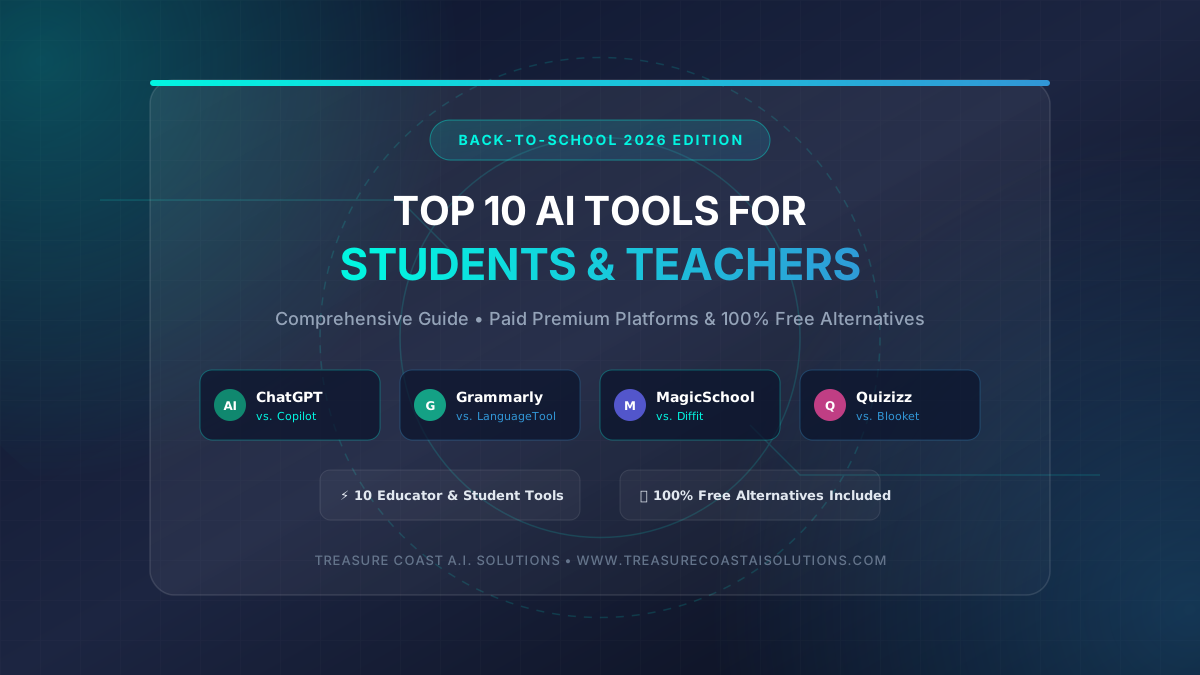
TL;DR: Subscriptions for premium classroom AI tools add up fast — ChatGPT Plus ($20/mo), Grammarly Premium ($12/mo), MagicSchool AI ($12/mo). But paying full price is optional. We broke down the top 10 AI tools for lesson planning, research, writing, and grading, and paired each one with a free alternative that delivers near-identical results.
Last updated: August 14, 2026 | Author: Brandon Smith, CEO & Co-Founder, Treasure Coast A.I. Solutions
The $200/Year Classroom AI Stack (And Why You Don't Have to Pay It)
AI tools for education use machine learning and natural language processing to automate teaching workflows, personalize student learning, assist with research, and generate instructional content.
These tools range from intelligent writing assistants and automated grading systems to AI-powered research summarizers and interactive lesson builders. By integrating AI into everyday academic tasks, both students and educators can cut hours of manual grading and drafting and focus more on deep comprehension and critical thinking.
Where AI Saves Hours: From Lesson Plans to Research Papers
The back-to-school season brings renewed energy, but it also brings heavy workloads for students and teachers alike. Educators spend hours drafting lesson plans, creating differentiated rubrics, and grading assignments, while students navigate complex research papers, study schedules, and essay writing.
AI tools address these challenges by acting as personalized tutors, research assistants, and administrative co-pilots:
- For Students: AI tools provide step-by-step math breakdowns, writing feedback, language translation, and instant lecture transcription, leveling the playing field for different learning styles.
- For Teachers: AI enables rapid lesson differentiation, automated quiz generation, and faster feedback delivery, freeing up precious hours to focus on direct student mentorship.
- Democratizing Learning: By pairing paid subscriptions with fully featured free alternatives, students and teachers from any school district can access the same AI models and capabilities regardless of budget constraints.
Top 10 AI Tools for Students & Teachers (With Free Alternatives)
Here are the top 10 AI tools leading the classroom revolution this school year, complete with links and dedicated free alternatives.
1. ChatGPT Plus (Best Overall AI Tutor & Research Assistant)
- Target Audience: Students & Teachers
- Paid Option: ChatGPT Plus ($20/month) — Powered by GPT-4o, offering multi-modal inputs (data analysis, vision, voice mode), custom GPTs, and web browsing.
- Free Alternative: Microsoft Copilot (100% Free)
- Why the Free Tool Works: Microsoft Copilot runs on OpenAI’s GPT-4 models free of charge. It offers web access, image generation (via DALL-E 3), and notebook modes without requiring a paid subscription.
2. Grammarly Premium (Best Writing & Style Enhancement)
- Target Audience: Students & Teachers
- Paid Option: Grammarly Premium ($12/month) — Provides advanced full-sentence rewrites, tone detection, vocabulary enhancements, and built-in plagiarism detection.
- Free Alternative: LanguageTool (Free Plan)
- Why the Free Tool Works: LanguageTool offers open-source, multi-lingual grammar, spelling, and punctuation checks across 30+ languages, serving as an effective free alternative to standard writing assistants.
3. QuillBot Premium (Best Paraphrasing & Text Summarization)
- Target Audience: Students
- Paid Option: QuillBot Premium ($9.95/month) — Provides unlimited paraphrasing modes, tone adjustments, vocabulary expansion, and automated summarization.
- Free Alternative: Scribbr Free Paraphrasing Tool (100% Free)
- Why the Free Tool Works: Powered by QuillBot’s underlying technology, Scribbr offers a free online paraphraser and citation generator without requiring user registration or monthly fees.
4. Otter.ai Pro (Best Automated Lecture & Meeting Transcriber)
- Target Audience: Students & Teachers
- Paid Option: Otter.ai Pro ($16.99/month) — Captures real-time audio, transcribes lectures, extracts key takeaways, and generates automated slide summaries.
- Free Alternative: Riverside Free AI Transcription (100% Free)
- Why the Free Tool Works: Riverside provides fast, accurate online audio and video transcription in over 100 languages with no file limits or subscription required.
5. Consensus Pro (Best AI Research Engine for Literature Reviews)
- Target Audience: Advanced Students & Researchers
- Paid Option: Consensus ($11.99/month) — An AI search engine that reads peer-reviewed scientific papers and synthesizes consensus answers with direct paper citations.
- Free Alternative: Semantic Scholar (100% Free)
- Why the Free Tool Works: Developed by the Allen Institute for AI, Semantic Scholar uses AI to extract key insights, citations, and influential papers across 200M+ academic publications at zero cost.
6. MagicSchool AI Pro (Best AI Lesson Planner & Teacher Co-Pilot)
- Target Audience: Teachers
- Paid Option: MagicSchool AI Pro ($11.99/month) — Generates unit plans, IEP goals, rubrics, parent emails, and custom student assignments in seconds.
- Free Alternative: Diffit for Teachers (Free Tier)
- Why the Free Tool Works: Diffit allows teachers to take any topic, article, or PDF and instantly generate leveled reading passages, vocabulary lists, and assessment questions tailored to specific grade levels.
7. Quizizz Super (Best AI Quiz & Flashcard Generator)
- Target Audience: Teachers & Students
- Paid Option: Quizizz Super ($12/month) — Uses AI to convert documents, URLs, and YouTube videos into interactive quizzes and gamified flashcards.
- Free Alternative: Blooket (Free Plan)
- Why the Free Tool Works: Blooket offers free interactive question sets, game modes, and student engagement tools that turn review sessions into competitive learning games.
8. Curipod Premium (Best AI Interactive Presentation Builder)
- Target Audience: Teachers
- Paid Option: Curipod ($9/month) — Generates interactive slide decks complete with polls, drawing activities, and open-ended AI questions in under two minutes.
- Free Alternative: Canva for Education (100% Free for Verified Educators)
- Why the Free Tool Works: Verified K-12 teachers get free access to Canva’s full suite, including Magic Design AI presentation generation, visual templates, and student collaboration tools.
9. Winston AI Paid (Best AI Content & Originality Detector)
- Target Audience: Teachers
- Paid Option: Winston AI ($12/month) — High-accuracy AI text detection for essays, built to identify content produced by GPT-4, Gemini, and Claude.
- Free Alternative: GPTZero (Free Tier)
- Why the Free Tool Works: GPTZero offers a fully featured free tier designed specifically for educators to analyze document perplexity and burstiness to highlight likely AI-generated text.
10. Gradescope Pro (Best AI-Assisted STEM & Essay Grading)
- Target Audience: Teachers & Professors
- Paid Option: Gradescope Pro (Custom Pricing) — Group-grades paper assignments, computer science code, and handwritten exams using AI pattern recognition.
- Free Alternative: Google Classroom & Self-Grading Forms (100% Free)
- Why the Free Tool Works: Google Forms coupled with Google Classroom allows teachers to build self-grading quizzes, set automated feedback triggers, and track performance analytics at zero cost.
Comparison Table: Paid AI Tools vs. Free Alternatives
| Primary Paid AI Tool | Primary Function | Recommended Free Alternative | Key Benefit of Free Alternative |
|---|---|---|---|
| ChatGPT Plus | Conversational AI & Tutoring | Microsoft Copilot | Free access to GPT-4o engine & web search |
| Grammarly Premium | Advanced Grammar & Style | LanguageTool | Open-source multi-lingual proofreading |
| QuillBot Premium | Paraphrasing & Summarizing | Scribbr Paraphraser | No registration required for instant rewrites |
| Otter.ai Pro | Lecture Transcription | Riverside Transcription | Unlimited free audio/video text conversion |
| Consensus Pro | Scientific Literature Review | Semantic Scholar | 200M+ academic paper AI search graph |
| MagicSchool AI Pro | Teacher Lesson Planning | Diffit | Leveled reading content & worksheet creator |
| Quizizz Super | AI Gamified Assessment | Blooket | High-engagement student learning games |
| Curipod Premium | Interactive Slide Generator | Canva for Education | Free premium AI presentation tools for K-12 |
| Winston AI | AI Content Detection | GPTZero | Purpose-built free academic AI detection |
| Gradescope Pro | Automated AI Grading | Google Forms & Classroom | Integrated self-grading & rubrics |
The Ethics of Using AI Tools in Education
As artificial intelligence becomes an everyday fixture in schools, understanding the ethical implications of these tools is critical for both students and educators. The primary ethical concern centers on academic integrity and authentic learning. When students rely on generative AI to produce essays or solve complex math problems without engaging in the cognitive process, they bypass key critical thinking skills. AI should be treated as a supportive tutor or brainstorming partner rather than a ghostwriter. Educational institutions must establish transparent guidelines detailing when AI assistance is acceptable—such as outlining paper topics or checking code bugs—versus when it constitutes academic dishonesty.
Beyond integrity, educators and students must address data privacy, algorithmic bias, and digital equity. Many free AI tools collect user prompts to train future models, making it essential to avoid inputting personally identifiable information (PII) or sensitive student records. Additionally, AI models reflect the biases present in their training data, requiring users to evaluate output with a critical eye rather than accepting AI assertions as absolute truth. Finally, bridging the digital divide requires ensuring equal access; pairing subscription tools with accessible free alternatives guarantees that economic background does not determine a student's technical advantage in the modern classroom.
Build Your Zero-Cost AI Toolkit
You do not need a multi-hundred-dollar software budget to run an efficient classroom or stay on top of your coursework. Every paid tool on this list has a free counterpart that covers the same core functionality. Start by picking one bottleneck — whether it is lesson planning with Diffit, literature research with Semantic Scholar, or grading with Google Forms — and test the free alternative for two weeks. Measure the hours you save, then decide whether the premium version is worth the upgrade.
Want to customize an AI workflow or chatbot for your school or team? Let's talk.
Frequently Asked Questions
Is using AI for school assignments considered cheating?
Using AI to generate finished assignments or write essays is academic dishonesty. However, using AI for brainstorming, tutoring, grammar checking, or explaining complex concepts is generally acceptable when permitted by instructor guidelines.
Are free AI tools as safe and accurate as paid versions?
Free tools like Microsoft Copilot and Semantic Scholar use high-grade models and reputable data sources. However, all AI tools can occasionally hallucinate incorrect facts, so users must verify key information independently.
How can teachers verify if student work was written by AI?
Teachers can evaluate writing consistency, conduct oral follow-ups, and use free detection tools like GPTZero. However, because detectors are not 100% foolproof, educators should combine tool reports with personal review.
Do free AI tools protect student privacy and data?
Privacy policies vary by platform. Users should avoid submitting personal identifiers, addresses, or confidential school records into any public AI tool, whether free or paid, to protect personal data privacy.
How can schools ensure equal AI tool access for all students?
Schools can adopt open-access free tools like Microsoft Copilot, Canva for Education, and Google Classroom. Selecting high-quality free alternatives ensures students retain equal technical tools regardless of household income.